

Last week I ran an AI workshop for 5 consultants at Bizdojo Ponsonby. Not an introduction — everyone in the room was already using Claude or ChatGPT. The question wasn't "what is AI?" It was "why does it keep giving me generic rubbish?"
When I asked people to name their biggest pain point, nobody said "I need help writing LinkedIn posts." They talked about losing business because proposals take too long. About projects aging after the sale because follow-up slips. About spending their days as what one person called "a ferrying department" — moving information between tools, clients, and AI chats that don't remember anything from last time.
"It's too much, it's too fast, and I'm too far behind what I actually do."
— Workshop attendee, describing the AI hump
Another said she wanted to clone herself into an AI-supported agency model so she could spend more time face-to-face with clients while the backend runs without her.
These aren't theoretical problems. These are people leaving money on the table and struggling to keep up.
The consultant's context problem
Here's what I think most consultants get wrong about AI. They think the problem is their prompts. It's not. The problem is that AI doesn't know anything about them.
You're not working on one product inside one company. You're juggling multiple clients, each with their own context, and most of your expertise has never been written down — because nobody's ever paid you to document it. Your client knowledge lives in your head. Your files are spread across email, Google Drive, client portals, and old AI threads. And because AI can't reach any of it, everything it produces sounds the same.
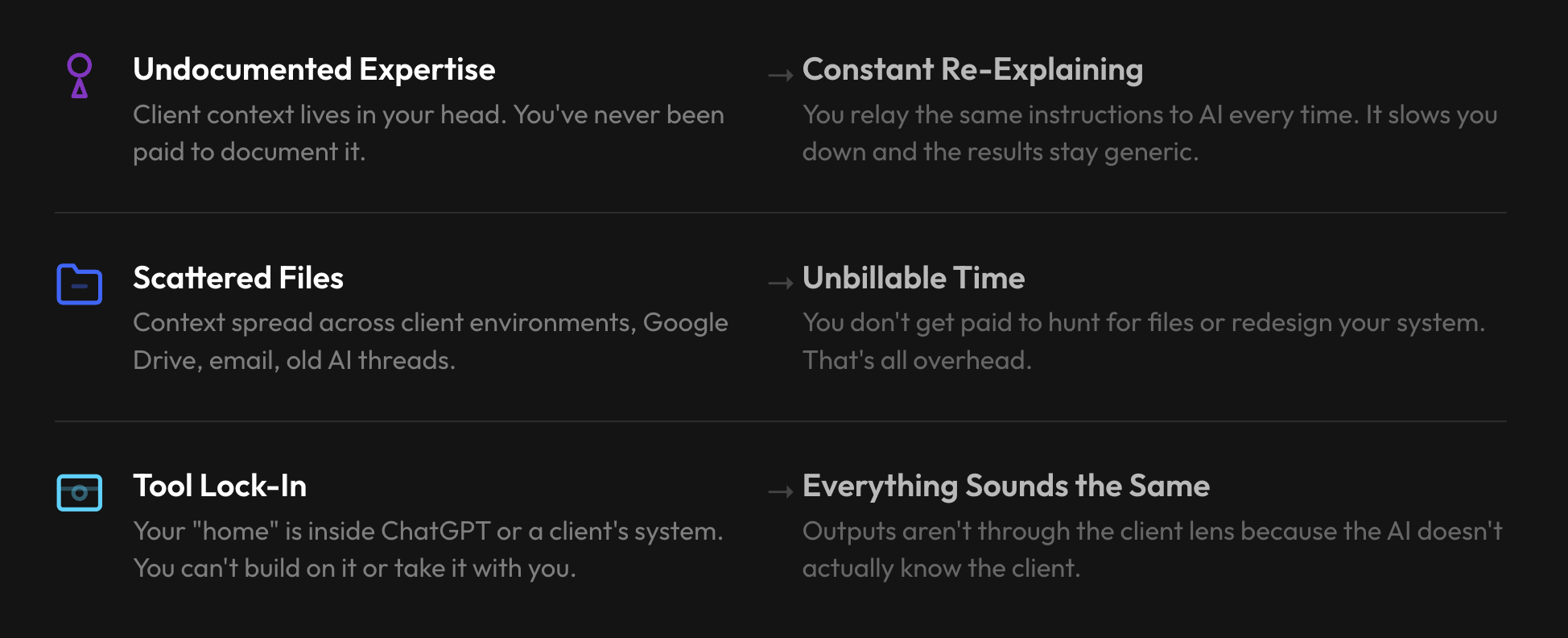
That's the core issue. Not the technology. Not the prompts. The context.
So where do you start?
I'll be honest — when I showed the room how I store structured client and project context in one place, someone said it felt "more daunting." Another said they needed a "real mind shift" to stop being scared of it. And they're right. Setting up a second brain when you've got three client deadlines feels like rearranging deck chairs.
But here's the thing. You do this once. Every AI conversation after it gets better.
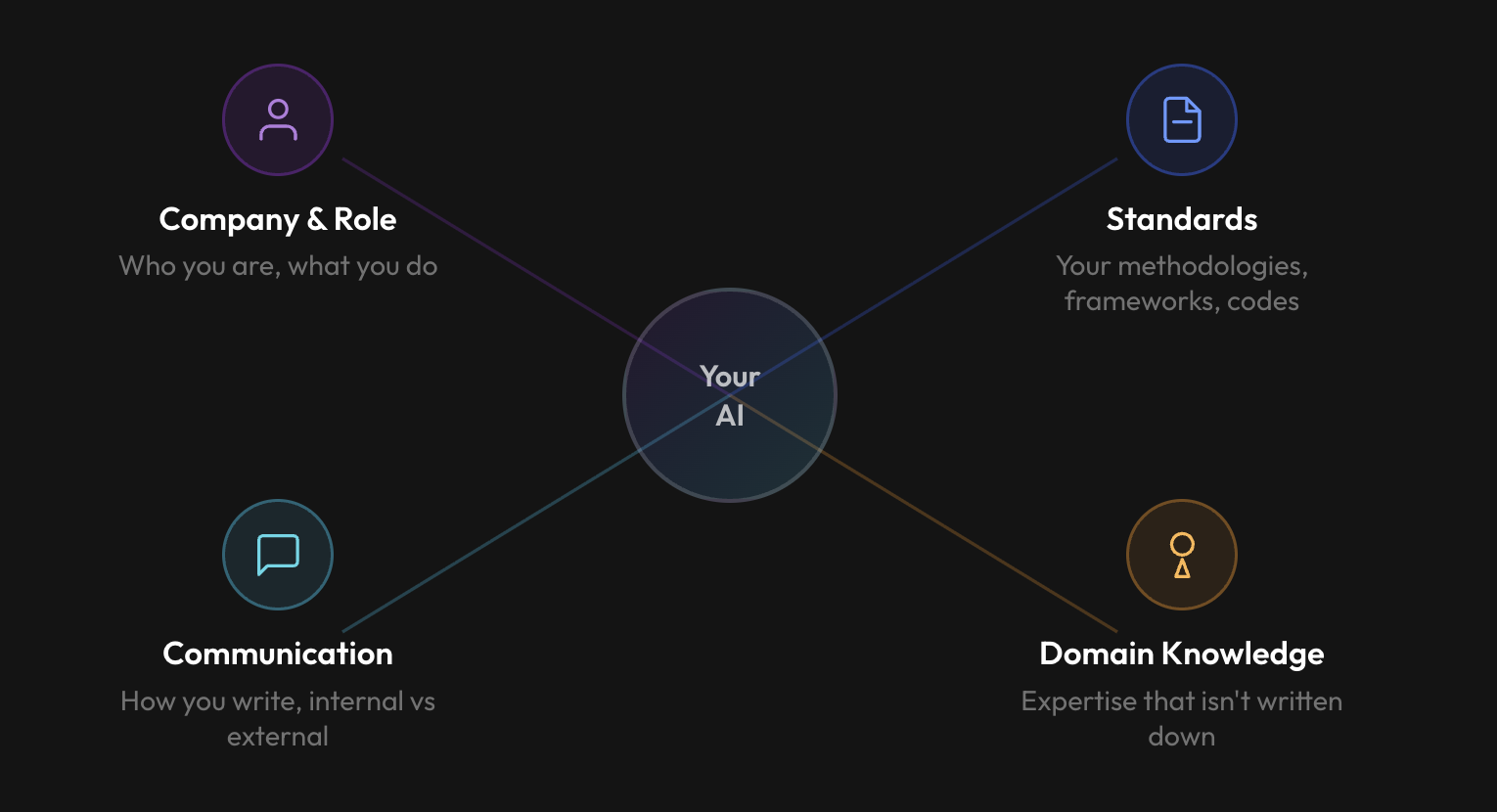
A second brain is just one consistent place where your files, meeting notes, projects, and templates all live — so AI has somewhere to plug in. I use Notion. But the room pushed back on that, and they were right to. One person said they already had a version of this in Google Drive. Another raised the issue of clients living in mixed ecosystems — Microsoft, Google, Dropbox. The tool matters less than the principle: pick one home base and start with one client.
That's actually where it clicked for most people. Not "set up an entire system." Just: one client. One place. Start there.
Teach it who you are
The next step takes five minutes and changes every interaction after it. Tell the AI your role, your domain, how you like information structured. Here's the template we used — fill in the brackets, paste it into your settings, and you're done:
"I'm a [your role] consultant specialising in [your domain/industry]. My clients are typically [describe your typical client — size, industry, what they hire you for]. When I ask you to write something, match my communication style: [e.g. direct and concise, formal but warm, no jargon]. Default to [NZ/Australian/US] English. I prefer [bullet points / narrative / structured frameworks]. Don't over-explain."
This is the bit that stops AI sounding like a stranger. It's not magic. It's just context that persists.
Now give it a role
This was the concept that landed hardest in the room. Stop opening random chats. Set up your AI around roles — Project Manager, Sales Director, Technology Advisor, Marketing Manager — each one primed with instructions on how you work. The same role can serve you and your clients. Consistency comes from the role, not from having to re-explain yourself every time.
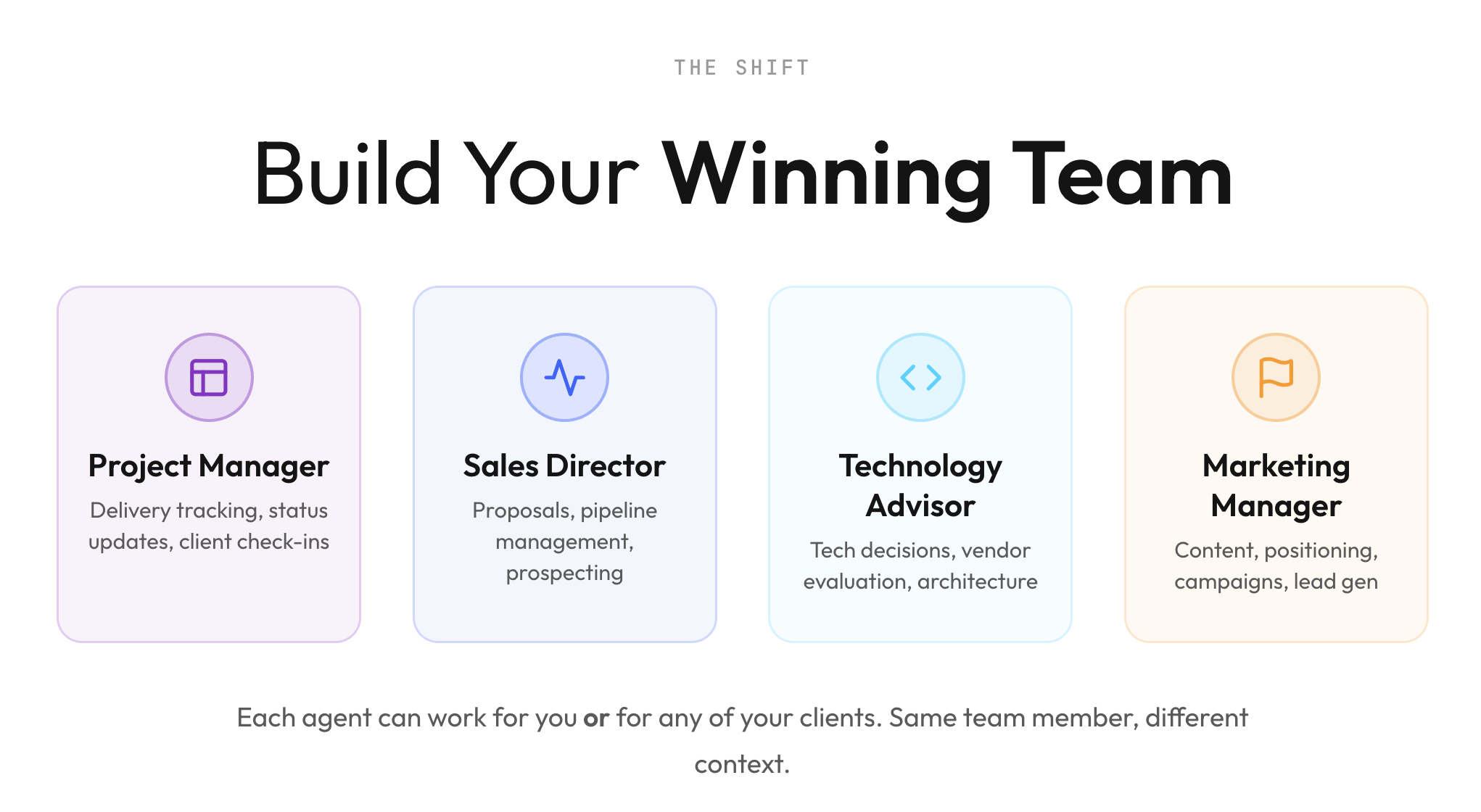
I think this reframe — from "AI assistant" to "AI team" — is what made the abstract idea feel real. When I set up a Project Manager role live, connected it to my second brain, and used it to generate a Monday morning focus dashboard, people started asking very practical questions. Not "what is an agent?" but "can I schedule that to run before I wake up?"
Yes. You can.
Here are the four roles we built. Copy these straight into Claude Projects or your AI platform of choice:
Project Manager
"You are my Project Manager. I'm a self-employed consultant with multiple clients on the go. Your job: keep everything on track. Track what's due, who needs follow-up, and what needs my attention this week. Keep things short — I need a clear picture in under 2 minutes."
Try: "What's on my plate this week?" · "Which deliverables am I closest to deadline on?"
Sales Director
"You are my Sales Director. I'm an independent consultant — no sales team, just me. Help me win new work alongside delivering for existing clients. Write proposals that sound like me, not a template. Keep my pipeline visible."
Try: "Write a 2-page proposal for [client]" · "I haven't done any BD in 3 weeks. Give me a 30-min/day plan."
Technology Advisor
"You are my technology advisor. I'm not a developer, but I need to make smart decisions about the tools and systems I use. Help me evaluate tools, automate repetitive work, and give smart answers when clients ask about tech. Keep recommendations practical."
Try: "Should I pick [Tool A] or [Tool B]?" · "I'm spending too much time on [task]. Can I automate this?"
Marketing Manager
"You are my Marketing Manager. Marketing always falls to the bottom of my list because client work comes first. Help me stay visible without it becoming a second job. Write content that shares what I actually know — not generic thought leadership."
Try: "Turn this project into a LinkedIn post — no client names" · "I haven't posted in 3 weeks. Give me something for today."
What surprised me
I expected the room to gravitate toward content generation — writing posts, drafting emails. They didn't. The sharpest interest was in proposal speed, project follow-up, inbox triage, and weekly priority reviews. Commercial pain, not novelty. That tells me something about where AI is actually going to land for independent operators: not as a writing tool, but as the operations layer they've never had.
The other thing that surprised me was how many people framed AI as a support tool for how their brain works — managing focus, reducing admin overload, creating structure they struggle to maintain on their own. That wasn't in my slide deck. It came from the room.
What to do this week
One of the attendees synthesised the takeaway better than I could:
- Create a second brain — choose where it lives
- Teach it everything about you
- Start with one client
- Copy and expand from there
I'd add one thing: pick the role that saves you the most time and build that first. Don't try to set up four agents in a week. Start with one. Use it on real work. If the output is good, save the process so you can repeat it.
The goal isn't to become technical. It's to stop re-explaining yourself every session and start compounding.

Want to do this with your team?
I run these sessions in Auckland for consultants and small teams who are past the "what is AI?" stage and ready to make it stick. We also do 1:1 coaching and hackathons if you want to go deeper on your specific practice.
If you want to bring this to your organisation — or just want to be in the room for the next one — get in touch.
Claire Byrne is an independent technology consultant and fractional CPO based in Auckland. She runs AI coaching workshops for consultants and mid-market teams through Elements AI.